Why I built it
The notch on a MacBook cuts into the menu bar, and the wallpaper shows around it. I wanted the bar to be plain black, so the notch looks like part of the screen. The apps that do this are closed source, so you can't check what they do. That matters most with a free one: when an app costs nothing and it isn't clear how it pays for itself, I'd rather read the code than take it on trust. I wanted one I could read: no account, no updater, no analytics, and no network access at all.
Blackout is one small native app. It draws a black bar over the menu bar and does nothing else.
What it does today
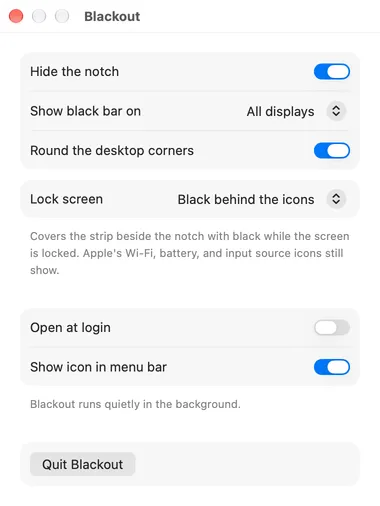
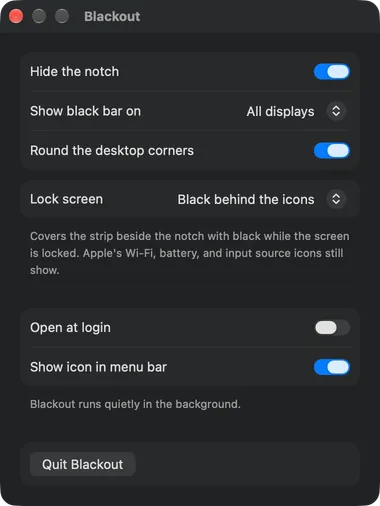
- Hides the notch: a black bar the height of the menu bar sits behind your menu bar items, so the clock, icons, and menus draw on top of it.
- One display or all of them: show the bar on the MacBook's screen only, or on every display so all your menu bars match. It follows displays being plugged in, unplugged, or changing resolution, and it works across Spaces.
- Mission Control too: the notch stays hidden in Mission Control and App Exposé, which draw a strip of their own over the menu bar.
- Any wallpaper: it draws over the menu bar and never touches your wallpaper, so dynamic wallpapers and wallpaper changes need no special handling.
- Rounded desktop corners: on by default, on all four corners, and easy to turn off. They sit just above the wallpaper and beneath your windows, so a window keeps its own corners and only the bare desktop is rounded.
- Set and forget: open at login, and an option to hide its menu bar icon completely. Opening Blackout again brings the settings window back.

How it's built
- Native and small. Plain AppKit with a SwiftUI settings window. No dependencies and no bundled web view.
- Offline by construction. There is no networking code and no telemetry. Settings live in your local preferences and never leave the machine.
- Strict by default. Swift 6 with complete concurrency checking, and every warning is an error.
- Signed and notarized. Every release is signed with a Developer ID and notarized by Apple.
- Reproducible. The Xcode project is generated from a spec file, and the app icon is drawn by a script in the repo.
What's next
- Sizes and shapes tuned to real screens. So far it's been checked on one notched MacBook display. Reports from other models are welcome.
Try it
brew install --cask benjweaver/blackout/blackoutOr download the zip from Releases. It's signed and notarized, so macOS opens it without a warning. It's free software under the GPL.